Quarter-End Expense Ledger Review Checklist
Quarter-end review is the opportunity to find problems before a package is used for the next reporting period. You do not need to open every file manually if your workflow uses sampling, but you should know which records are incomplete, which fields are unverified and which totals need an explanation. ReceiptBook can help filter and export records; the reviewer remains responsible for the business decision.
Close the period definition
Write down the start date, end date, entity, currency and timezone. Look for invoices issued near the cutoff, refunds after the cutoff, credit notes and pending payments. Check how late-arriving records are assigned to a period under your policy. If the period changes, create a new summary rather than silently editing a package that was already sent.
Check import quality
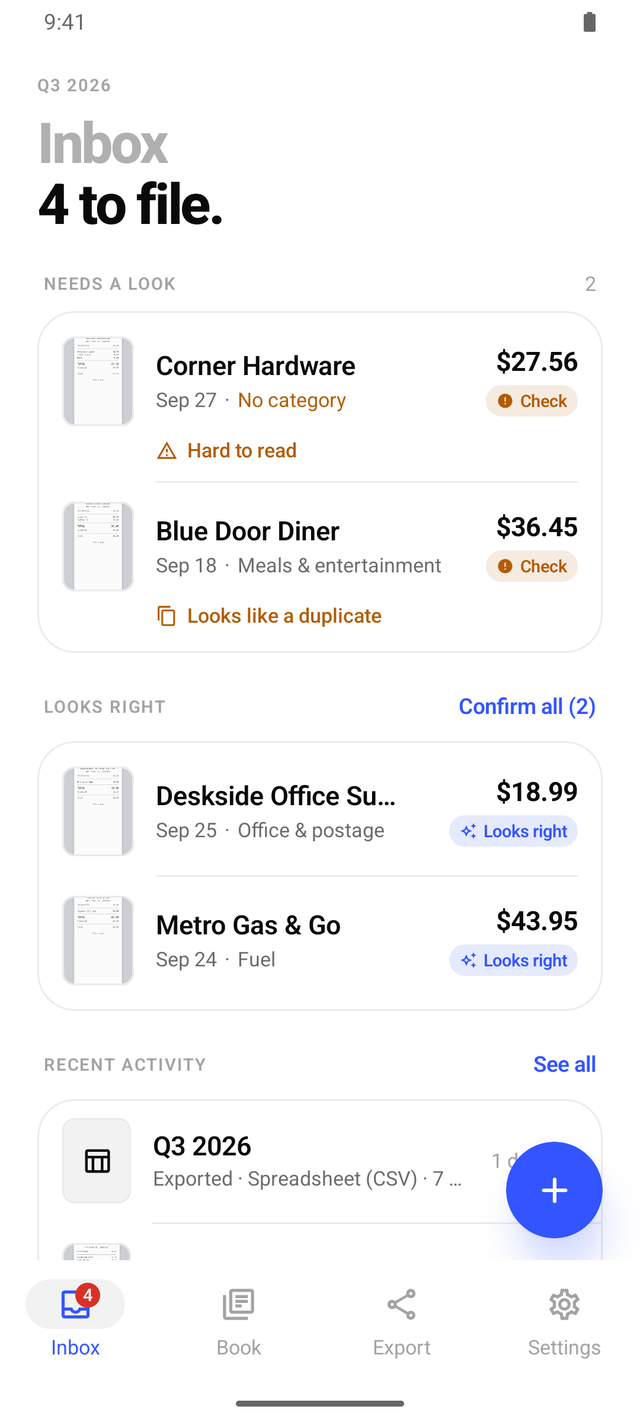
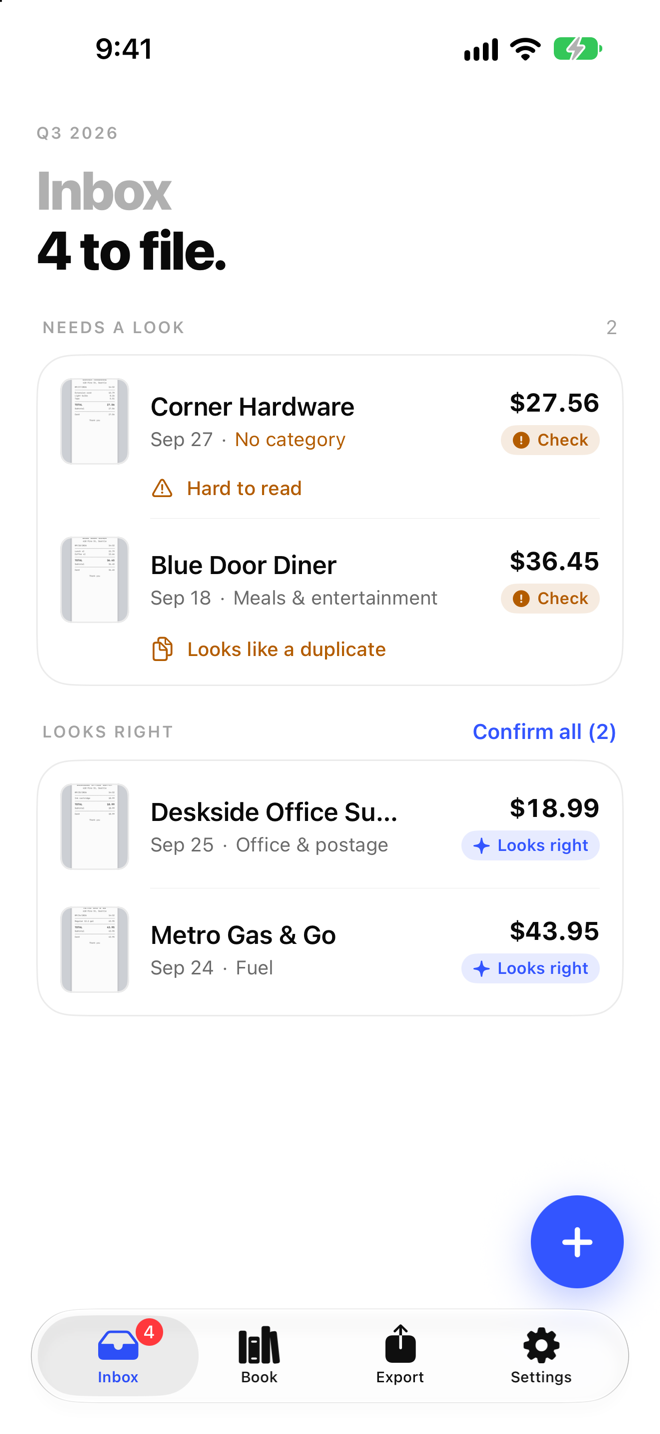
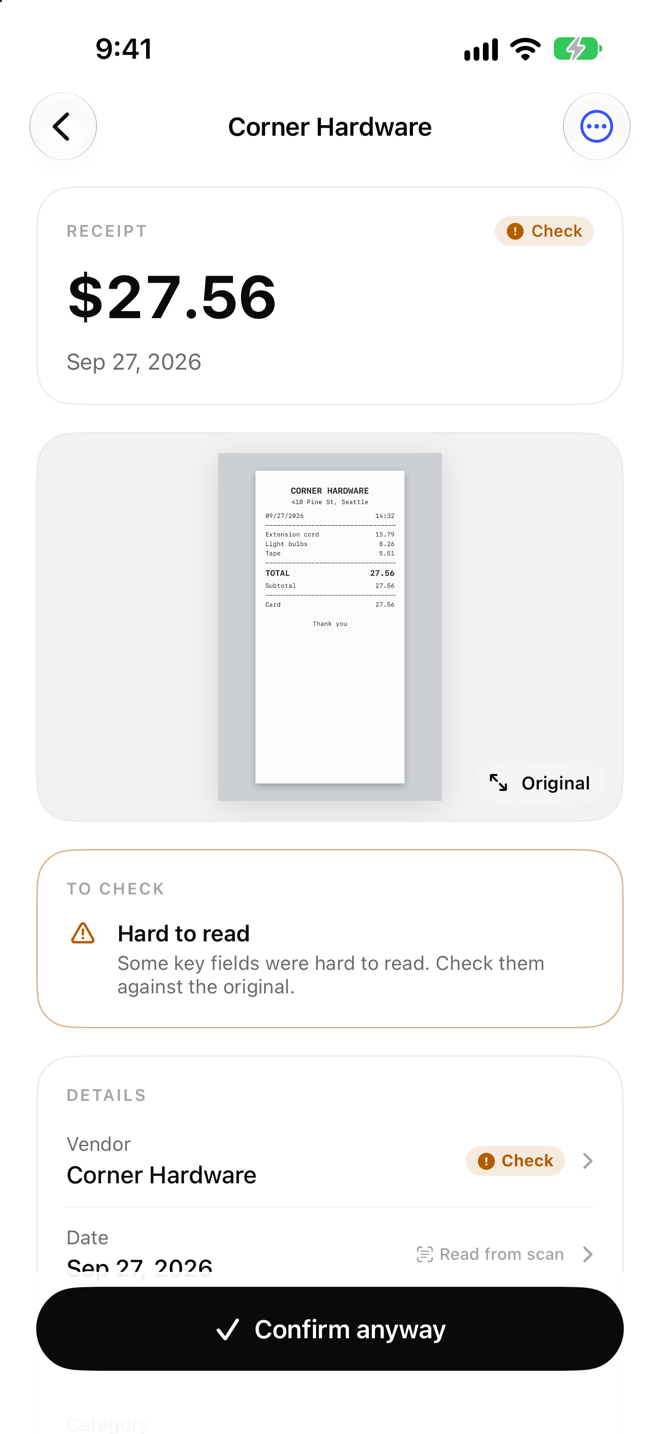
Filter for low OCR confidence, missing vendors, unusual dates, mismatched totals, unfamiliar currencies or unclear tax. Open the source and correct only what you can verify. Mark blurry or handwritten documents as exceptions. Do not replace a missing value with an estimate without recording the reason.
Find duplicates
Compare invoice number, vendor, date, total, order number and source file. An invoice received by email, photographed by camera and saved as a PDF may be one document in three forms. A refund or credit note is not automatically a duplicate, but it should be linked to the original transaction. If uncertain, send the record to review instead of deleting it.
Review categories and tax
Sample by vendor and category, especially records classified automatically. Check mixed expenses, multiple VAT rates, zero-rated items and invoices with no tax. Write questions for the accountant instead of making a conclusion yourself. See ReceiptBook. The summary should distinguish source facts from classification decisions.
Build the handoff package
Export transactions, summary, PDF, audit history, manifest and sources as required. Open the files and check counts, encoding, names and permissions. Add a version, creation date and exception list. Keep the package that was sent and create a new version when it changes. Record the recipient and response deadline.
Close the review
Use clear states such as checked, waiting for accountant, source missing or vendor question. Create an action list with an owner and due date. A review with visible status helps the next quarter start faster and prevents the same issue from being repeated. ReceiptBook does not replace an accounting system or tax filing.
Save the result as a dated checklist with the reviewer and package number. If a total changes after an exception is resolved, record before and after values with the reason. Do not change only a number in a summary without updating the related transaction and source.
Note: VAT, retention and cutoff treatment should be confirmed for the jurisdiction and organization involved.
A practical workflow for this topic
When you search for “Quarter-End Expense Ledger Review Checklist”, the useful answer is usually a repeatable way to check the detail that matters. Use this ReceiptBook guide as a starting point, then confirm the current source before acting. The product can organize information and shorten a review; it cannot fill in missing facts or replace a professional decision.
Quick checklist before you act
- Keep the original receipt image available for review.
- Check merchant, date, amount, currency and category after OCR.
- Separate business, personal and tax-sensitive items instead of guessing.
- Export the original and the structured file together when handing records off.
Keep the decision traceable: record the version, date and source you relied on when the detail may change.
Detailed step-by-step workflow
This extended section turns “Quarter-End Expense Ledger Review Checklist” into a repeatable ReceiptBook workflow. The goal is not to create a longer checklist for its own sake. It is to make the important inputs visible, show what should be checked first, and leave a useful record of what was known at the time. That approach is especially helpful for receipt capture, OCR review, expense categories and structured exports. Read the steps in order the first time, then return to the relevant step when the situation changes.
Step 1: Define the question and the record you need.
Start with this action in ReceiptBook, then pause long enough to verify the result against the original source or observation. For “Quarter-End Expense Ledger Review Checklist”, record the date, the relevant context and anything that was not available. A structured record is more useful when another person can understand what was checked without guessing what happened between two screenshots, notes or exports.
Step 2: Gather the original inputs before interpreting the result.
Start with this action in ReceiptBook, then pause long enough to verify the result against the original source or observation. For “Quarter-End Expense Ledger Review Checklist”, record the date, the relevant context and anything that was not available. A structured record is more useful when another person can understand what was checked without guessing what happened between two screenshots, notes or exports.
Step 3: Review the result and record uncertainty or missing data.
Start with this action in ReceiptBook, then pause long enough to verify the result against the original source or observation. For “Quarter-End Expense Ledger Review Checklist”, record the date, the relevant context and anything that was not available. A structured record is more useful when another person can understand what was checked without guessing what happened between two screenshots, notes or exports.
Step 4: Save the version, date and next action for later comparison.
Start with this action in ReceiptBook, then pause long enough to verify the result against the original source or observation. For “Quarter-End Expense Ledger Review Checklist”, record the date, the relevant context and anything that was not available. A structured record is more useful when another person can understand what was checked without guessing what happened between two screenshots, notes or exports.
Quality checks and common mistakes
Long-form guidance is most useful when it explains the boundaries as well as the happy path. Before relying on a ReceiptBook record, run the checks below. They help separate a missing input from a negative result, an approximate value from a verified value, and a convenient summary from the original evidence.
Check 1
Do not start with the conclusion. Write down the question, the person or property involved and the time period first. In ReceiptBook, keep the source, context and limitation close to the record so the next review can reproduce the decision.
Check 2
Do not mix old and new records without a date. Keep the original observation visible when you add a correction or update. In ReceiptBook, keep the source, context and limitation close to the record so the next review can reproduce the decision.
Check 3
Do not treat a missing field as proof that the event, ingredient, expense or condition does not exist. In ReceiptBook, keep the source, context and limitation close to the record so the next review can reproduce the decision.
Check 4
Do not share a polished summary before checking the original image, note, label, receipt or export behind it. In ReceiptBook, keep the source, context and limitation close to the record so the next review can reproduce the decision.
Check 5
Do not use an app record as a substitute for a professional, medical, legal, financial or safety decision when the situation requires one. In ReceiptBook, keep the source, context and limitation close to the record so the next review can reproduce the decision.
Frequently asked questions
What should I verify before I rely on this guide?
For “Quarter-End Expense Ledger Review Checklist”, use ReceiptBook to organize the observation and then verify the part that affects the decision. If a source, image, measurement or input is incomplete, mark it as incomplete instead of silently filling the gap. Add a date and a short note about the method used. When the consequence is important or the question sits outside the product’s purpose, confirm it with the current official source or an appropriate professional.
What should I do when the information is incomplete?
For “Quarter-End Expense Ledger Review Checklist”, use ReceiptBook to organize the observation and then verify the part that affects the decision. If a source, image, measurement or input is incomplete, mark it as incomplete instead of silently filling the gap. Add a date and a short note about the method used. When the consequence is important or the question sits outside the product’s purpose, confirm it with the current official source or an appropriate professional.
How can I make the record easier to compare later?
For “Quarter-End Expense Ledger Review Checklist”, use ReceiptBook to organize the observation and then verify the part that affects the decision. If a source, image, measurement or input is incomplete, mark it as incomplete instead of silently filling the gap. Add a date and a short note about the method used. When the consequence is important or the question sits outside the product’s purpose, confirm it with the current official source or an appropriate professional.
When should I ask for another source or a specialist?
For “Quarter-End Expense Ledger Review Checklist”, use ReceiptBook to organize the observation and then verify the part that affects the decision. If a source, image, measurement or input is incomplete, mark it as incomplete instead of silently filling the gap. Add a date and a short note about the method used. When the consequence is important or the question sits outside the product’s purpose, confirm it with the current official source or an appropriate professional.
A practical review before you finish
Before closing this topic, read the title “Quarter-End Expense Ledger Review Checklist” as a question rather than a promise. Confirm the current version of the information, check the original evidence, and record the next action in ReceiptBook. A useful record says what was observed, when it was observed, what remains uncertain and who should review it next. This makes the article easier to apply today and easier to revisit when the facts change.
See the product in action